
Optimise PDF
Compress PDF files
Compress PDF: use Balanced or Smaller mode, then inspect the result.
Choose a file
Choose one digital, scanned or image-heavy PDF up to 120 MB.
Choose a smaller file you can still use
Try Balanced first. Use Smaller file if the result is still too large, then inspect the pages before sending them.
Find out whether there is room to shrink
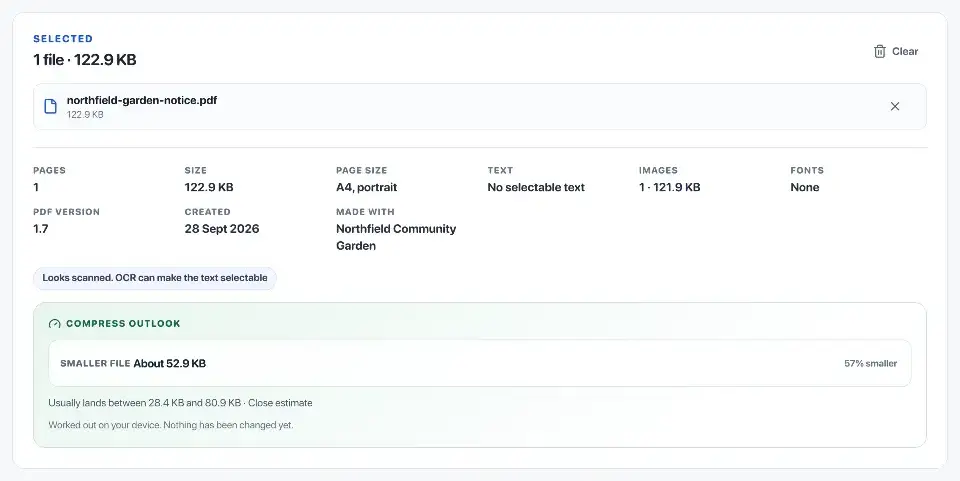
Large scans and photographs often offer more savings than text-heavy PDFs. A document that is already efficiently compressed may change very little; no fixed reduction is promised.
Compare the downloaded file’s size with the actual limit of the email service or upload form. An estimate before processing is not the final size.
Balanced keeps more structure where possible
Balanced compresses embedded images and can reduce oversized images. It also keeps only the needed characters from fonts when their licensing settings allow it.
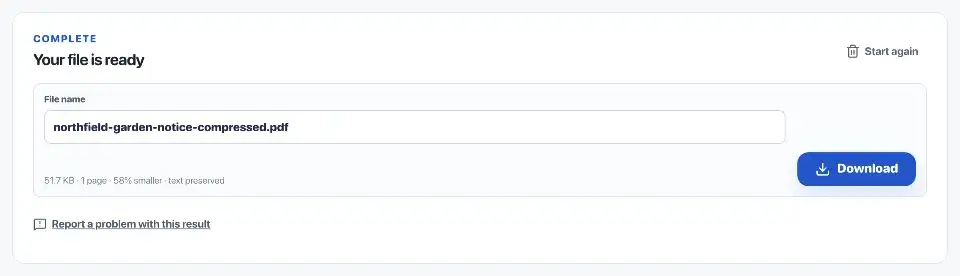
If these changes are not enough, Balanced can recompress whole pages. That may flatten selectable text, links or forms. Read the result summary and check the features you need in the saved copy.
Smaller file trades detail for size
Smaller file uses lower image resolution and quality. It may recompress whole pages if the first optimisation does not reduce size enough. Check fine detail, small text, signatures and photographs at a readable zoom.
If the result still exceeds the limit, extracting the pages you need may be more useful than further quality loss. Split only if the destination accepts separate files.

Keep the source until the upload works
If processing cannot make the file smaller, the tool returns the original rather than a larger copy. Percentage savings use the final file size.
Compression runs in this browser. Keep the original until you have checked the compressed copy and the receiving system has accepted it.
Questions
Which compression mode should I choose?
Balanced aims to preserve more structure but may still recompress complete pages. Smaller prioritises size. Check the estimate before processing and inspect the saved result.
Why did the file size change very little?
A PDF with efficient images and fonts may have little left to remove. If the compressed copy would not be smaller, you get the original back.
When does searchable text remain?
Either mode may recompress complete pages and flatten selectable text, links or forms. Check the result summary, then test search and links in the saved copy.
How is the output page count handled?
The download is offered only when the result contains the same page count as the source PDF.